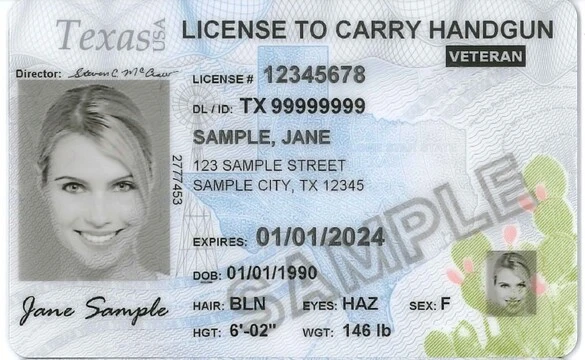
This How-To is for individuals who have already completed their License to Carry course and shooting proficiency, and have received their LTC-100 or LTC-101 document.  If you have't done these things already, you're skipping too far ahead.  When you have the LTC-100 (in person) or LTC-101 (online) from your LTC instructor, at that point you're ready for these steps.

The application itself shouldn't take much time, assuming you have all of your required documents. Time delays may occur if there is a problem with your paperwork, your background check, or your fingerprinting. If you have any criminal record, you may be asked by RSD to submit additional paperwork (court documents, for example). Don't get discouraged, the processing time by the state takes as long as it takes.

  • How To Steps

    Submitting your Texas License to Carry Application

    Submitting your Texas License to Carry Application

    Supplies Needed:
    1. LTC-100 or LTC-101 document from your LTC instructor
    2. Valid driver license or identification card
    3. Current demographic, address, contact, and employment information
    4. Residential and employment information for the last five years (new users only)
    5. Information regarding any psychiatric, drug, alcohol, or criminal history
    6. Valid email address
    7. Valid credit card (Visa, Mastercard, Discover, or American Express)
    Tools Needed:
    1. Computer
    Visit the Texas DPS RSD Website

    Step 1

    Visit the Texas DPS RSD Website
    • Visit the RSD website for LTC (linked above)
    Choose the correct

    Step 2

    Choose the correct "I want to" option
    • Choose "Submit Document(s) - Applicants Only (LTC-100, Supporting Documents)
    Choose your application status

    Step 3

    Choose your application status
    • If this is your first time visiting the RSD site, select "No".
    Redirect to the DPS RSD LTC Application Webpage (automatic)

    Step 4

    Redirect to the DPS RSD LTC Application Webpage (automatic)
    • Review the requirements, then scroll down to the 2 green buttons.
    New Users can begin a new applications, Returning Users can view their application status and perform other tasks

    Step 5

    New Users can begin a new applications, Returning Users can view their application status and perform other tasks
    • Choose "Apply" (new applicants) or "Login" (returning applicants)
    Create an account

    Step 6

    Create an account
    • The blue icons next to the fields give examples of where you can find the information on your drivers license
    Enter your information

    Step 7

    Enter your information
    • Enter the information as it appears on your drivers license
    • Attach your LTC-100/LTC-101 form as a PDF
    Make your payment

    Step 8

    Make your payment
    • Submit payment for your application
    Visit the IdentoGO.com website from the email you'll receive from IdentoGO

    Step 9

    Visit the IdentoGO.com website from the email you'll receive from IdentoGO
    • Schedule an appointment for fingerprinting
    • Be prepared to pay the $10 fee
    • You're done, just wait for the RSD to approve or deny your application.
Copyright © 2026 Carry Texas. All Rights Reserved.

Main Menu